

v1.2.1
LDLib2 Advanced GUIs for MCreator:
NOTE: This plugin was vibe-coded; it is highly advanced and very experimental!
Now supports NeoForge 1.21.1 and NeoForge 26.1.2.
New and improved UI editor along with many bug fixes in the new v1.2.1.
Let no-code modders build:
- Modern
- Flex-based
- GUIs with themes
- Tabs
- Sliders
- Fluid/item slots
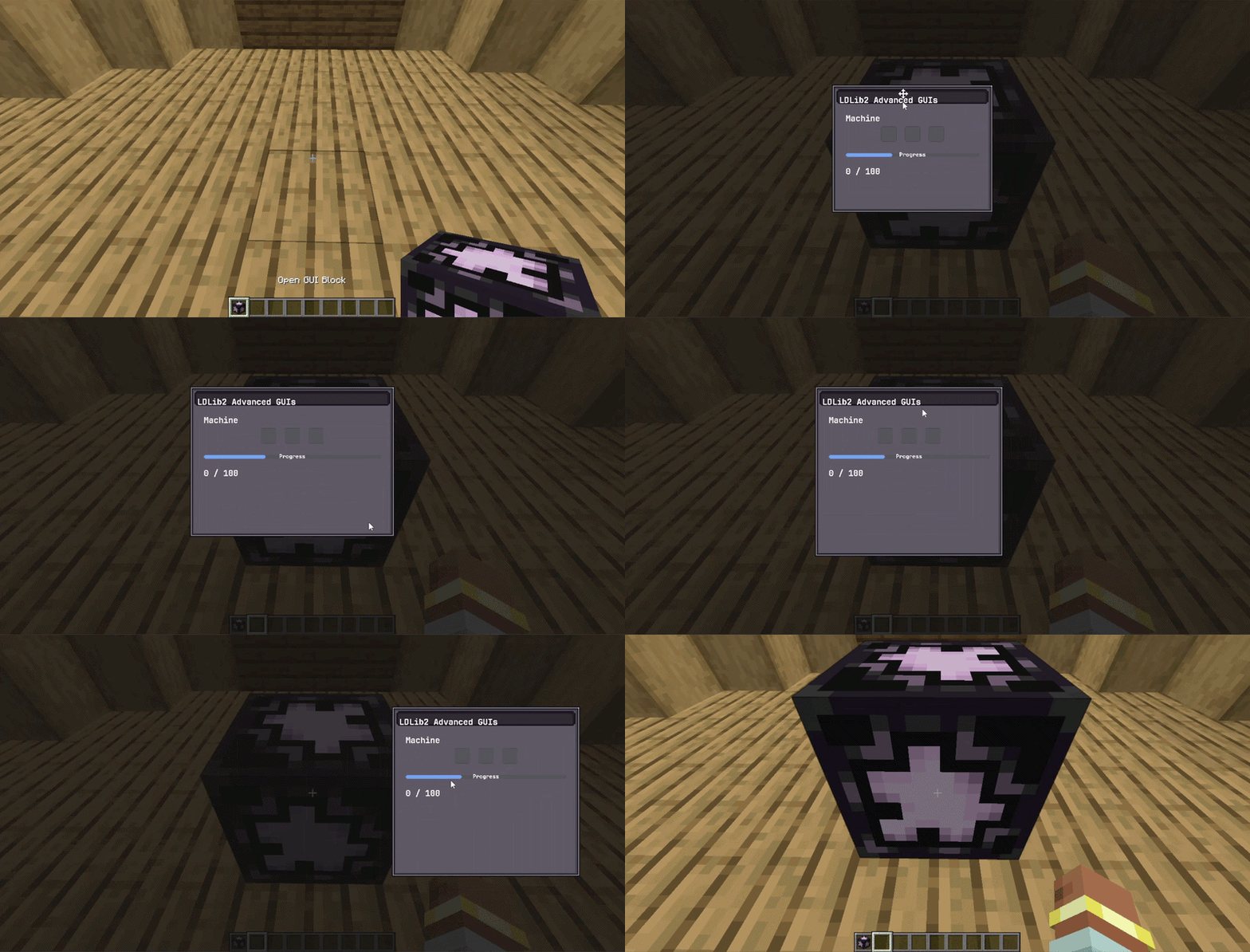
- Movable/resizable windows, then open and control them with familiar MCreator procedures.
- Design in MCreator’s UI tree, or import polished UIs from LDLib’s in-game editor, without writing any GUI code.
Enable API:
Make sure you enable the LDLib2 api in the workspace settings, and
recompile the project before adding any elements or procedures!
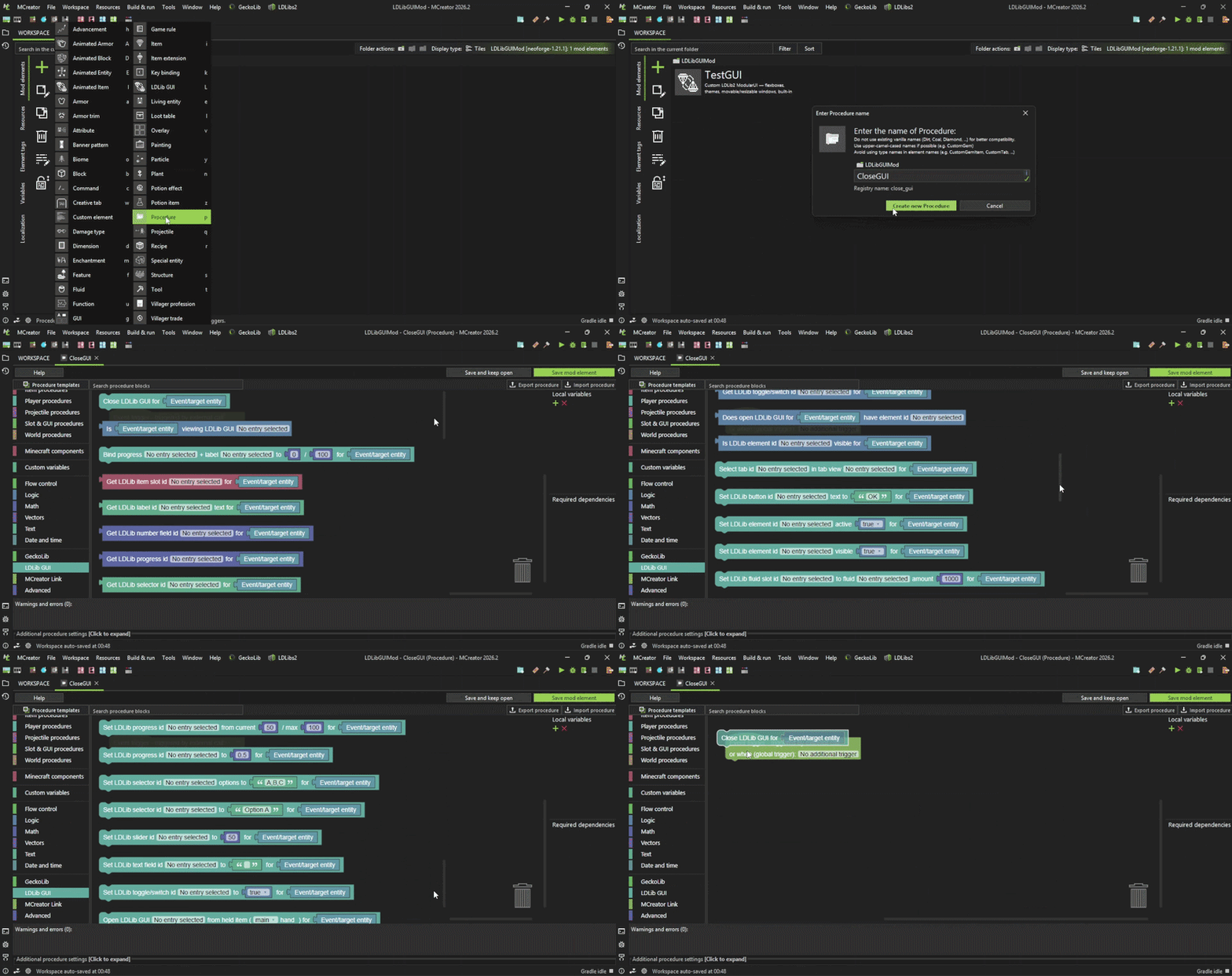
Procedures:
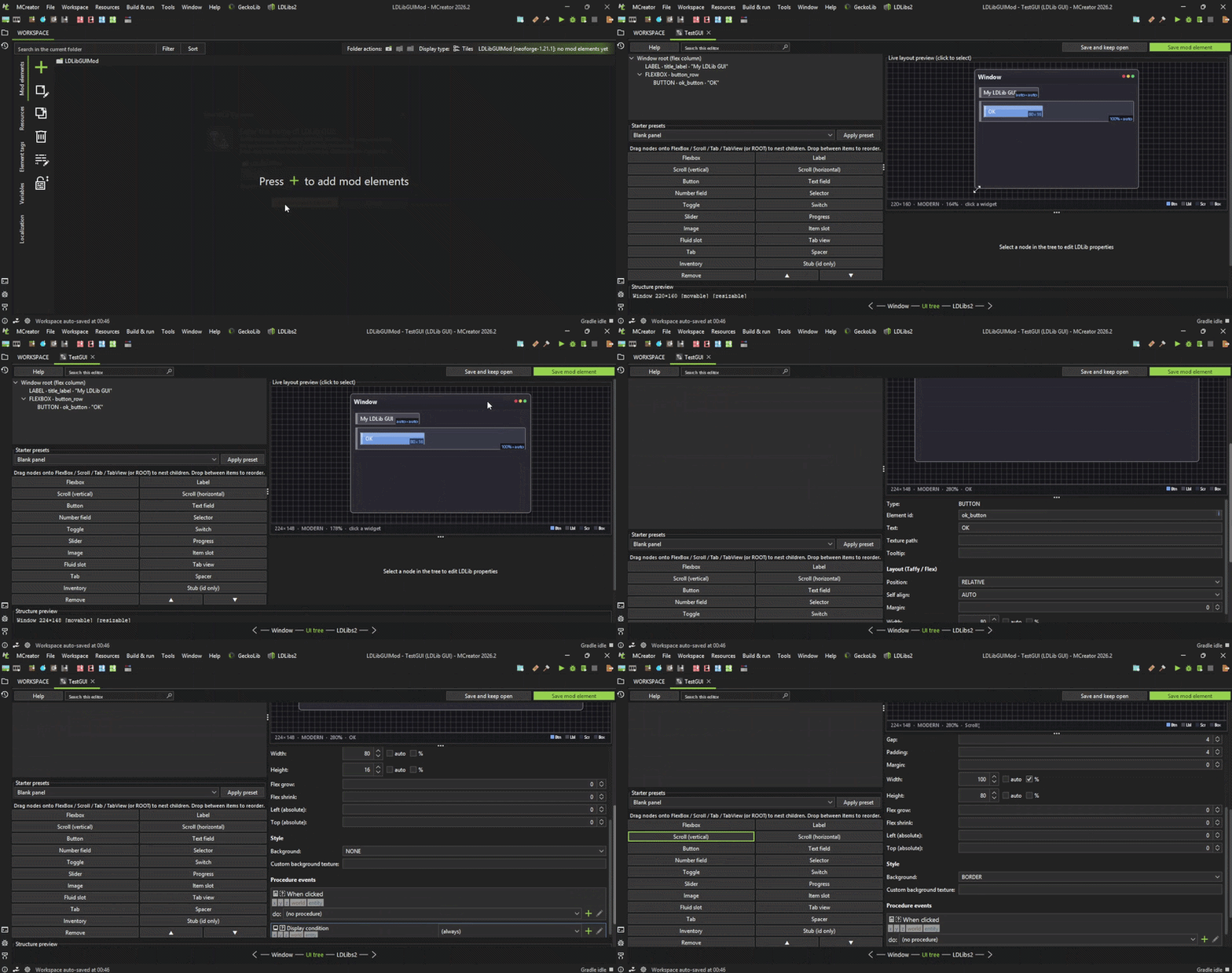
UI Tree:
Modular GUI's:
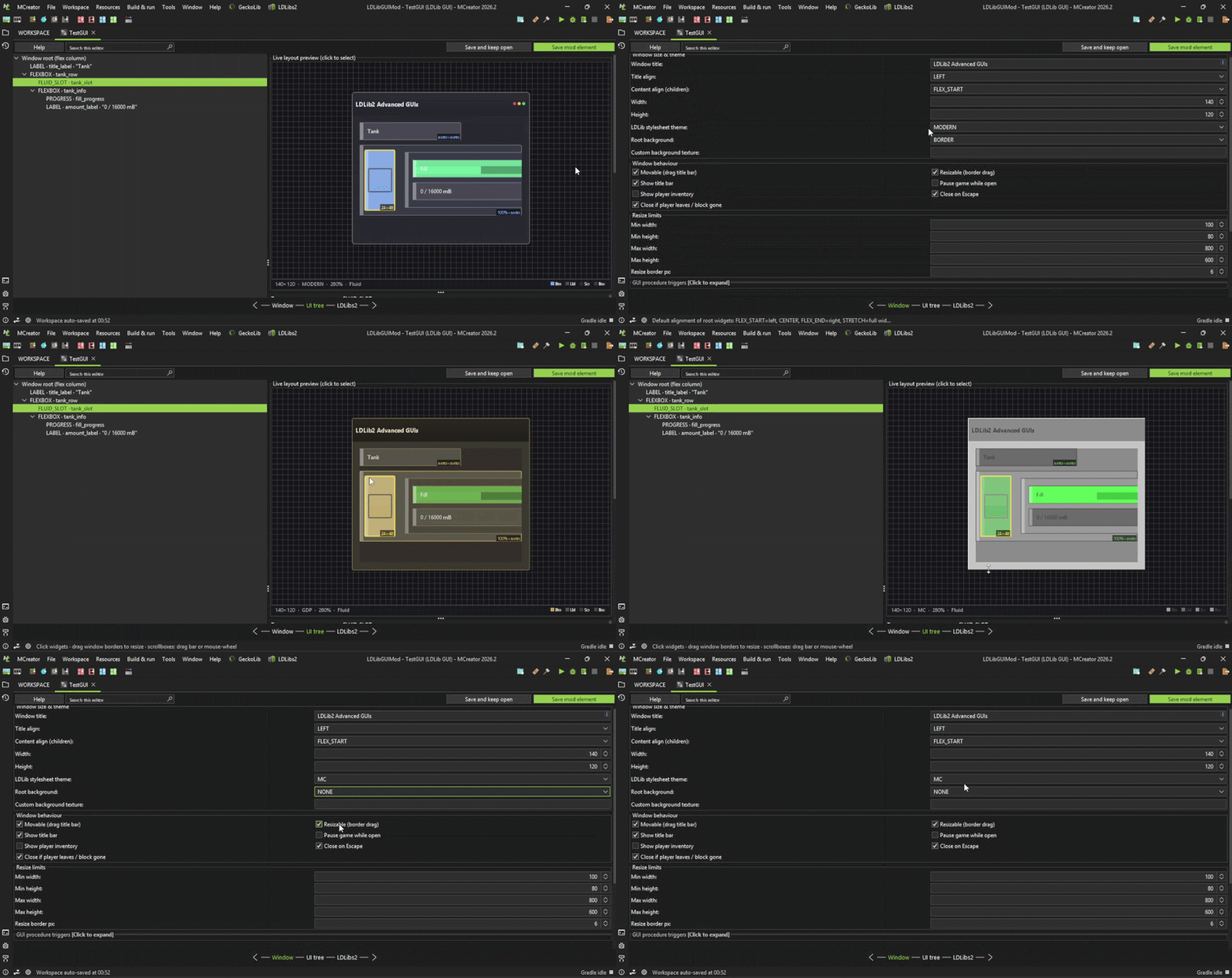
GUI Properties:
IMPORTANT :
This plugin is still in Open Beta; there are known bugs. Do not use this in your Main Mod workspaces!!!
This was released a bit early for testing and feedback to aid in the development of this plugin; do not expect full functionality as it will take some time.
All documentation for this plugin can be found here: https://github.com/CBJaxxx/LDLib2-Advanced-GUIs-Plugin/blob/master/Docs…
This plugin is only for NeoForge 1.21.1 for MCreator 2026.2+.
I respond to issues on the LDLibs2-Advanced-GUIs-Plugin GitHub repository, so all issues should be reported there.
I welcome all issues, as they are very much needed given the complexity of this plugin and the features that significantly slow down development.
I don't have the heart to support and maintain multiple generators for this plugin, so please do not ask.
As always, do not use this in your main mod workspace before backing it up.
This is still in development, and new bugs will be found, so use with caution.
Note: This plugin uses the LDLib2 api and you will need LDLib2 2.2.29 for NeoForge 1.21.1, as your mods will depend on it. NeoForge 26.1.2 uses Beta LDLib2 2.2.40
LDLib2 Advanced GUIs Plugin was a top-secret project of mine, so please enjoy!
Comments


Alright. That is nice to hear. I think I just let you have this area since you are still developing it. I have other idea and I try to focus on it. Yours anyways has a lot more of content than mine has. Just keep it up!
I suggest adding support from 2025.3 to the newest. I do have some users from 2025.3 so yeah. 2025.2 and below is pretty difficult since it's no longer easy to add your own java files without overriding other plugins.
Hey there,
It seems like you already made an "advanced Gui" plugin before me. I was making it since I am an artist (with like 13 years of an actual experience) and I do need a high quality UI for my mods. I have been doing this "advanced" series now and made Advanced Procedures plugin and also later Advanced Procedures 2. Would you mind if I would be making my own version (would be just Advanced Gui) or do you want to take all the credits and users? You were first so I don't mind.

My whole reason for making MCreator plugins was to give back to the MCreator community. I fully support everyone when it comes to forking this plugin, this is why I make the source code public. Whether you want to use my source code or not I fully support you and your plugins and I appreciate you asking but you dont need my permission although if you use my source code a small credit somewhere on your plugin page would be appreciated!
I must mention this plugin is still in active development, but I think it would be great for users to have more choices when it comes to their GUIs so in my opinion the more plugins the better. Im not a great developer and I don't compete for downloads, it is just nice to see some users are willing to use the plugins you make and that alone makes me happy!

This plugin is my most complex by far and it is all from scratch so when making this plugin im basically reading all the elements from LDLib2 and remaking them from scratch in MCreator so it is very difficult to work on, I do plan on fixing any issues and expanding on this plugin, but I need more issue reports from users so I am able to fix issues quicker without spending lots of time testing everything myself, this is why I released the plugin early for feedback. This plugin when finished will be Excellent for custom machines and crafting tables etc... and will give you the ultimate control for your GUI's. I have been very busy and this plugin is not my favorite to work on as since it is so complex it makes my skin crawl just thinking about touching the code for it, but none the less I will make this a top priority project and a new update should be expected within the next week or two.


Hey i dont know if this is a bug or if im doing something wrong while installing this. I added this to my workspace but when i enable ldlib2 in the workspace settings it causes it to crash on rebuilding with errors of missing Capability. https://pastebin.com/Wbqgmw8j Since im not really coding literate could you please explain to me if im doing something wrong?

you re not doing anything wrong this is actually a bug this also happened with my Photon plugin before I fixed it it happens because the LDLib2 mod has a class called Capability but theres also a class with that name in Neoforge this causes problems with the Mcreator's automatic import system to fix this it would be necessary to add a custom generator to the plugin files
Are you waiting for 2026.3 Full Release and then update to 2026.3?