
Supported MCreator versions
2025.3

Downloads:
1480
Upvotes: 19
About the plugin
Nerdy's better animations is a plugin that aims to improve upon the java animation system of entities and items by adding new procedure blocks that directly trigger animations and other miscellaneous additions.
Triggerable entity animations
While this plugin is loaded, entity animations without a playback condition will never play instead of always playing by default. These animations will now only play when triggered through the use of this procedure block.

What does animation index mean?
Animation index is the order in which the animation has been added to the entity's animations list. Here is an example of an entity with animations with their index visible.

Entity texture swapping
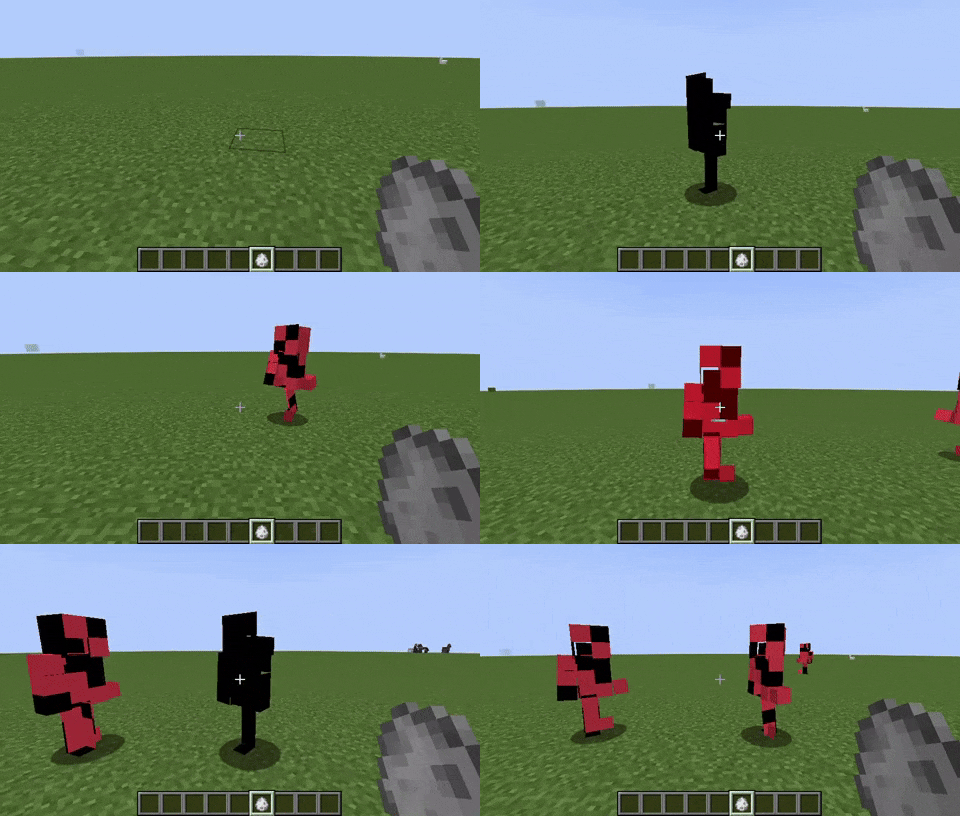
Through the use of this procedure block, one can easily swap a custom entity's texture without the addition of new model layers and display conditions. It simply requires providing the entity texture's name without any directory paths or file extensions.

Triggerable item animations
This procedure block works the same way as its entity variant, but for custom items. Similarly to entities, items will also have animations without playback conditions only play when triggered with this procedure block.

Item java model display settings
Modifications have been made to the item element to allow for the selection of a display settings json model when a java model is selected. With this you can control how the item is displayed in all perspectives. This can be done by making a copy of your item java model, and converting it to java block/item which supports display settings in blockbench. After exporting it in json format, you can select it and its display properties will be applied to your java model.

An additional option is also provided to specify in which perspectives the java model's animations will play.

Item player arm rendering
This plugin also allows the rendering and animating of player arms on animated items. The arms will only render if put under specific bone names in the item java model. You can find and download this example java model that showcases the use of this system.

Java plugins must be enabled for the plugin to work fully

Changelog
v1.0.2
-Fixed items using java models crashing the game if they had animations but didnt use arm rendering

v1.0.1
-Fixed living entity walk animations causing build errors

v1.0
-Plugin release
License
MIT License
Issue tracker
Source code repository
Plugins may contain bugs, break workspaces, or alter the way MCreator operates.
Plugins are not official or affiliated with Pylo in any way.
In case of any copyright infringement or suspicious downloads, please let us know as soon as possible.
Plugin downloads
Nerdy's better animations v1.0.2 (MCreator 2025.3 ONLY) - nerdys_better_animations.zip
Uploaded on: 12/26/2025 - 01:24 File size: 59.52 KB
Comments


is it impossible to change the texture of an entity on a different model layer. I'm imagining a system where you can change the clothes of an entity without needed 500 different model layers. or maybe do animations on only one model layer that isn't the original. Ik it's not a feature rn but is it possible?


Not sure if this is because of the plugin but, all my entities with a walk animation get errors, mainly because I have the "is walking animation?" enabled, so not sure if this is the plugin's fault since it makes an animation not play if it has no procedure attached

For some reason my item/gun is repeatedly playing the start of an animation (I have it set to play once btw). I'm not sure if this is a bug or if I'm just missing something
I think it might be because I'm using item data as timers and because it keeps updating it keeps repeating the animation? I'm not sure
Might not even be a problem with the plugin idk