
Supported MCreator versions
2023.4
2024.1
2024.2
2024.3
2024.4
2025.2
2025.3
2026.1

Downloads:
26205
Upvotes: 190
About the plugin
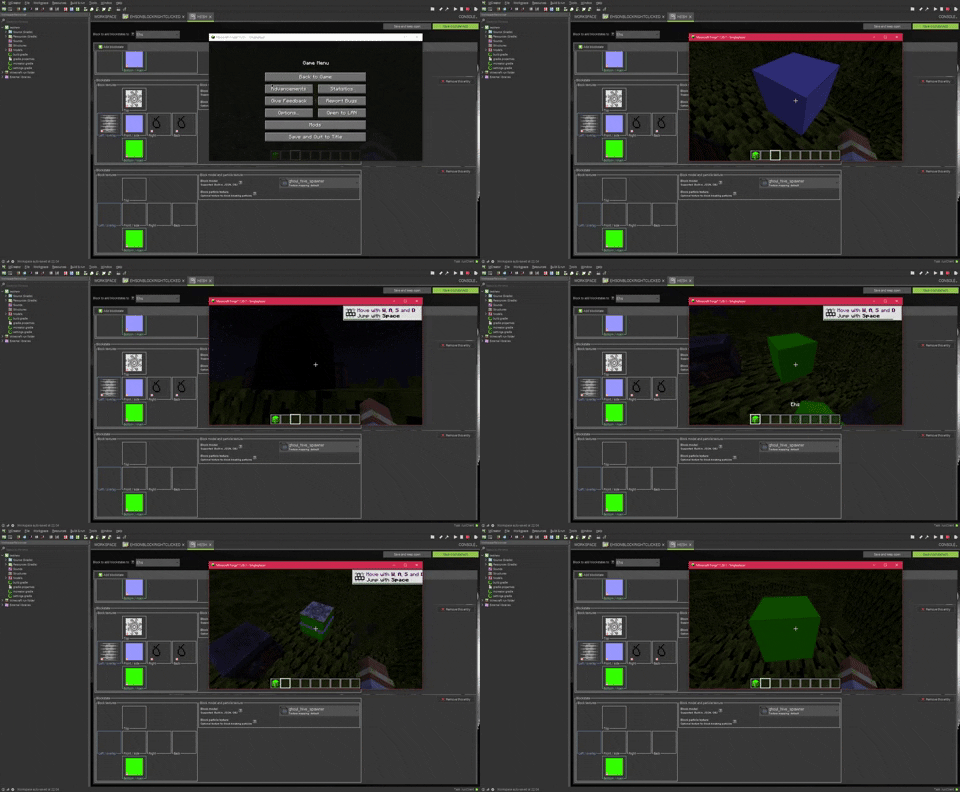
Blockstates is a plugin which allows you to define multiple states in which your blocks change textures, models, bounding boxes and light levels. It introduces the blockstates mod element and multiple procedure blocks with which you can control the current blockstate your block uses.
IF YOU ARE UPDATING TO 2026.1 FROM 2025.3 OR OLDER, READ THE VERSION 1.9 CHANGELOG
This is a java plugin and requires java plugins to be enabled.

Changelog
v1.9
-THIS IS ONLY A CONVERTER AND SHOULD BE DELETED AFTER OPENING YOUR WORKSPACE WITH IT LOADED!
 Simply load the plugin, open a workspace that used it for blockstates once,
 and after verifying
 everything was converted correctly, close
 your workspace and delete the plugin.
 Now, all the blockstates that previously used the blockstates mod element will be part of your blocks,
 using the blockstates system introduced in 2026.1.

v1.8.3
-Fixed blockstate block texture references not working in mcreator

v1.8.2
-Implemented bounding box caching to fix complex bounding boxes having a performance impact

v1.8.1
-Fixed rain particles phasing through any block with blockstates
(regenerate the code of your workspace to apply the fix to existing block elements)
(already placed blocks in the world need to be re-placed to apply the fix)

v1.8
-Ported to MCreator 2025.3

v1.7.1
-Fixed the blockstates element page not being validated before saving

v1.7
-Updated to 2025.2

v1.6
-Updated to 2024.4
-Fixed vanilla texture use resulting in missing textures

v1.5.1
-Fixed the latest 2024.3 patch breaking the UI

v1.5
-Ported to 2024.3 and neoforge 1.21.1

v1.4
-Ported to 2024.2 and neoforge 1.20.6

v1.3.2
-Updated the block template to include a bugfix from 2024.1 patch 2

v1.3.1
-Updated to work with MCreator 2024.1.15821

v1.3
-Support for MCreator 2024.1
-Support for neoforge 1.20.4

v1.2.2
-Fixed blocks having build errors in 1.19.4

v1.2.1
-Fixed blockstate textures not working in 1.19.2
-Fixed crashing when using bounding box offset with blockstates

v1.2
-Blockstates can now have different bounding boxes
-Blockstates can now have different luminance (light level)
-Added the cross and crop base models to blockstates

v1.1
-Fixed template errors when multiple blocks and blockstates were present

Archived versions:
v1.2.2 for 2023.4
License
MIT License
Issue tracker
Source code repository
Plugins may contain bugs, break workspaces, or alter the way MCreator operates.
Plugins are not official or affiliated with Pylo in any way.
In case of any copyright infringement or suspicious downloads, please let us know as soon as possible.
Plugin downloads
Blockstates v1.3.2 (MCreator 2024.1 ONLY) - blockstates_1.zip
Uploaded on: 04/25/2024 - 07:57 File size: 71.57 KB
Blockstates v1.4 (MCreator 2024.2 ONLY) - blockstates.zip
Uploaded on: 07/19/2024 - 15:43 File size: 48.04 KB
Blockstates v1.5.1 (MCreator 2024.3 ONLY) - blockstates_0.zip
Uploaded on: 10/31/2024 - 07:45 File size: 48.96 KB
Blockstates v1.6 (MCreator 2024.4 ONLY) - blockstates.zip
Uploaded on: 12/20/2024 - 21:08 File size: 49.38 KB
Blockstates v1.7.1 (MCreator 2025.2 ONLY) - blockstates.zip
Uploaded on: 10/13/2025 - 09:39 File size: 49.67 KB
Blockstates v1.8.3 (MCreator 2025.3 ONLY) - blockstates.zip
Uploaded on: 12/17/2025 - 11:03 File size: 54.1 KB
Blockstates v1.9 (MCreator 2026.1 ONLY) - blockstates_converter.zip
Uploaded on: 03/29/2026 - 17:26 File size: 30.34 KB


Is there a way to make blockstates transition smoothly like in skulk?